

Overview: Ayushman Bharat Card
So many people are still unaware of the process of applying Ayushman Bharat Card. As we know, our government has launched the facility to support the needy class of society. The Ayushman Card gives them health benefits of INR 5 Lakhs per year per family. But so many people still browse for “How To Apply For Ayushman Bharat Card?”
Our blog contains all the information and steps and following them one can easily apply for the Ayushman Bharat Card. Before application, you must check your eligibility for the Ayushman card because the facility is given to financially challenged families. In our previous blog, we shared information about “Eligibility for Ayushman Card”. You can refer for detailed information.
Steps to apply for Ayushman Bharat Card
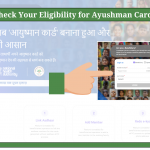
Check your Eligibility for Ayushman Bharat
- Visit government website: https://pmjay.gov.in/
- Click “Am I Eligible?”
- Enter your Mobile Number and Click on VERIFY (Green Color)
- Once the system will recognize the Mobile Number, the AUTH_Mode Will Be Mobile_OTP automatically
- Enter the OTP you have received on the Mobile Number. If you did not receive the OTP click on “RESEND OTP”.
- Enter the Captcha
- Click on Login
- After successfully “Login”, you will be taken to the next page.
- A table format view will be shown.
- From the table you need to select
- SCHEME,
- STATE as per your Aadhar Card
- Sub Scheme
- District
- Search by (The way you want to get searched. Select any of them: Name, Aadhar Card, Family ID, Location-Rural, Location-Urban, PM-JAY ID)
- Once you select all the information, click on Search
- If you will be Eligibility, your name will be shown otherwise it will say “No Beneficiaries found in given Search Criteria”
Apply for the Ayushman Card
If you are eligible for Ayushman Card, you need to offline in order to apply for your Ayushman Card. The process is very simple as mentioned below:
- Visit your nearest Common Service Center (CSC), Public Service Center, or UTI-ITSL
- Carry your family’s ID card along with one identification document (Aadhaar Card, PAN Card, Driving License, Voter ID, or Government ID).
- Submit the documents to the staff member available at the center.
- Fill out the form given by the staff member. If needed, they will guide you.
- Once the form is accepted, the card will be issued with all the health benefits.
How To Add Family Details to Ayushman Card
- If you are looking to add family details, Click on Add Family Details
- Enter the Ration Card Number, click on Check details
- If the Ration Card is associated with the family member, details will be shown.
So, following the above-shared steps, you can apply for your Ayushman Card. In the coming section, we will mention how can you download your Ayushman Card.
How To Download Ayushman Card
- Visit government website: https://pmjay.gov.in/
- Click “Am I Eligible?”
- Enter your Mobile Number linked with PM-JAY (Ayushman Bharat)
- For authentication you will get an OTP.
- To confirm your identity, enter the OTP
- Once the OTP is verified, you will be taken to DOWNLOAD AYUSHMAN CARD
- Click on the DOWNLOAD Ayushman Card Button and collect your card.
- You will get the Ayushman Card in PDF format, so save it on your device.
- For the future, you can also take a print copy.
Final Thoughts
So following the above steps people can easily apply for their Ayushman card. As we have mentioned earlier Ayushman Card is given to financially challenged families as per the SECC verification. We hope, now you have a clear idea about the Ayushman Card application process.
Moreover, if any query comes up, feel free to get in touch. We will be more than happy to help! Keep browsing the page to stay updated with recent digital health initiatives. We always wish you good health!
References
https://pmjay.gov.in/#ayushman-appl
https://ayushmanbharat.mp.gov.in/index.php?/ayushman-card-process


Comments are closed.