Tag

ABHA

Browsing

Preventive healthcare is much more important in the present era, and people should definitely take the required action in their routine to stay healthy, happy, and stress-free. Furthermore, with digital evolution, preventive healthcare tips have become quick, simple, and easy to follow.

In this blog we will explore what preventive healthcare is, and how a digital health wallet like AarogyaOne is making an effective contribution.

What is Preventive Healthcare?

Before going into technicality let’s have a basic idea about preventive healthcare. It means doing things to stay healthy and avoid illness. To take care of their people, they should perform some activities in a routine that includes Regular Health Check-Ups, Vital Tracking, Healthy Eating, Exercise in Routine etc.

Such awareness and activities helps people live longer, feel better, and spend less on medical treatments.

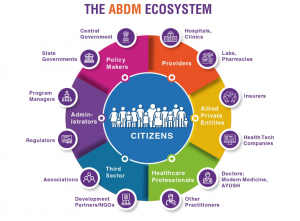
Our government is also running many campaigns to make people aware about their health because in this rapid race of competition we all have given a secondary position to ourselves which is really not right. Through ABDM (Ayushman Bharat Digital Mission) the health records are getting digitized. Each person is given a digital health id which we call ABHA id and all their health records are managed under it. Further, as and when needed, users can access their medical documents and share it with their doctors.

How AarogyaOne Supports Preventive Healthcare

Aarogyaone is your digital health wallet which keeps your health records safe, allows you to make quick appointments, scan & pay for OPD registration and manages your vitals. Also, it generates an emergency alarm if any of the vital goes below or above its value.
Preventive Healthcare TipsMany people don’t take vital tracking features seriously because they think they are healthy and nothing can go wrong. But we should always keep one thing in mind, vital tracking is very important because we all are living in a stressful environment and there is a possibility that blood pressure, or blood sugar or any other vitality can go beyond its limit.

Apart from this, the management of health records is very important. It helps doctors to make more informed decisions towards your health problem.

Here is an example with which you can relate. Imagine you visit a doctor with a headache. Instead of explaining everything from memory, you can show your past records, medicines, and reports on the AarogyaOne app. The doctor can quickly understand your history and give better advice.

The PHR app eases your health journey because it offers:

  • Easy management of health records.
  • Get your medical files any time anywhere.
  • Track your vitals for early/quick detection.
  • Get reminders for your medications
  • Share your health records with your doctor from anywhere anytime.

With Aarogyaone PHR app, you can have a better control on your health journey and you will be able to follow preventive healthcare tips more efficiently.

Final Thoughts

We have always heard prevention is better than cure and we all should follow the same. Above mentioned preventive healthcare tips are very important in the current time because we live a fast life where the majority of people don’t bother for their health.
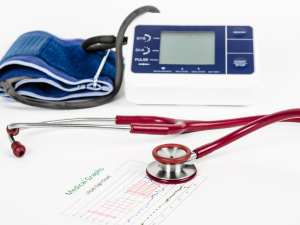
Vital TrackingDigital health wallets have brought a change to the health care society and now people can track their entire health journey with the application. Hence download Aarogyaone PHR app and start managing your health seamlessly and efficiently.

Further, if any query comes, feel free to connect!
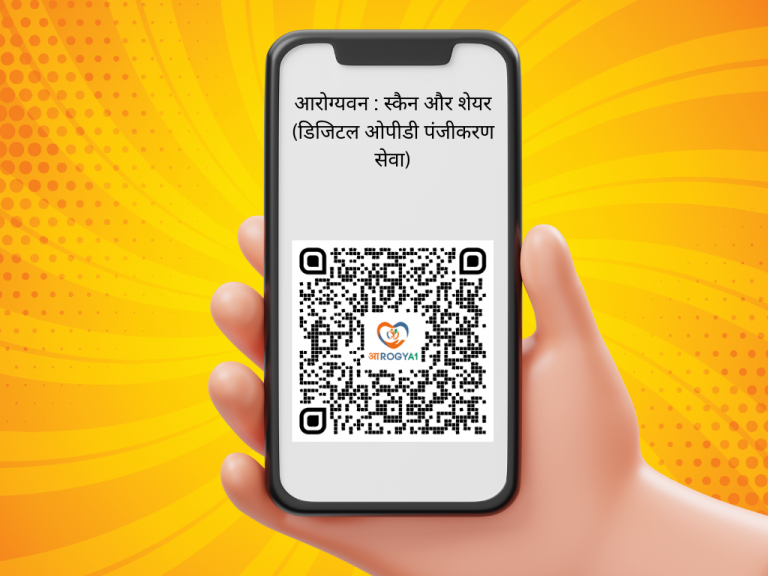
अस्पताल जाना अपने आप में ही एक मानसिक तनाव है और जब हमे लम्बी लाइन में लगना पड़ जाये तो यह समस्या दुगुनी हो जाती है। आज हम जानेंगे कि “आरोग्यवन : स्कैन और शेयर” के माध्यम से हम कैसे इस समस्या से छुटकारा पा सकते हैं।

इसके मद्देनज़र हमारी सरकार लगातार काम कर रही है। अब आप आयुष्मान भारत डिजिटल मिशन (ABDM) के तहत अक्टूबर 2022 में शुरू की गई ABHA-आधारित स्कैन और शेयर सेवाओं का उपयोग करके लम्बी कतारों से छुटकारा पा सकते हैं।

बहुत से ऐसे लोग हैं जिनको   ABHA-आधारित स्कैन और शेयर के बारे में जानकारी नहीं है।  लोगों में इसकी जागरूकता बढ़ने के लिए हमने इस ब्लॉग में सारी जानकारी उपलभ्ध करवाई है।  आप इस ब्लॉग को पूरा पढ़ें और सरकार द्वारा दी गयी स्वस्थ्य सुविधा का लाभ उठायें।

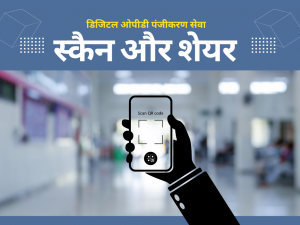
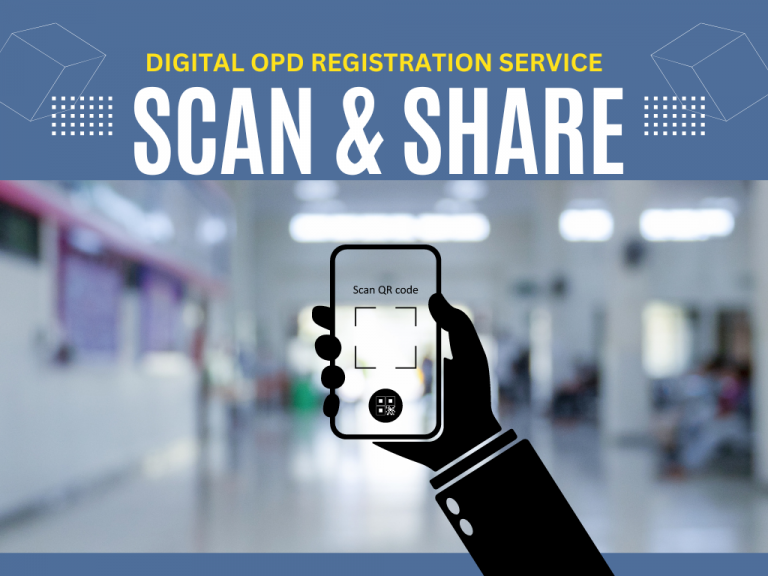
स्कैन और शेयर के माध्यम से आप डिजिटल तरीके से ओपीडी परामर्श के लिए अपना टोकन प्राप्त कर सकते हैं।

यह एक  कागज रहित सेवा विशेष रूप से शारीरिक रूप से विकलांग मरीजों, गर्भवती महिलाओं और बुजुर्गों के लिए एक शानदार परिवर्तन लेकर आई है। स्कैन और शेयर की मदद से अब सरकारी अस्पतालों में लंबी कतारों में खड़े होने और अपनी बारी का इंतजार करने की आवश्यकता नहीं है।

डिजिटल ओपीडी पंजीकरण (टोकन) कैसे प्राप्त करें?

यह प्रक्रिया बहुत ही सरल है। सभी सरकारी और ABDM से जुड़े स्वास्थ्य केंद्रों में, पंजीकरण काउंटर पर आपको एक क्यूआर कोड दिखेगा। क्यूआर कोड स्कैन करने के लिए, Aarogyaone ऐप डाउनलोड करें।

Aarogyaone एक एनएचए द्वारा स्वीकृत, ABDM से जुड़ा हुआ पीएचआर ऐप है। एक बार जब आप क्यूआर कोड स्कैन कर लेते हैं, तो आप अपना ओपीडी पंजीकरण टोकन प्राप्त कर सकते हैं।
  • Aarogyaone ऐप डाउनलोड करें (app.aarogya.one)
  • पंजीकरण काउंटर पर उपलब्ध क्यूआर कोड स्कैन करें
  • डिजिटल ओपीडी पंजीकरण के लिए अपना टोकन प्राप्त करें

इसके अलावा, ऑनलाइन पंजीकरण के लिए यह सुनिश्चित करें कि आपका ABHA खाता बनाया गया हो। अधिक जानकारी के लिए आप हमारा ब्लॉग पढ़ सकते हैं: “ABHA कैसे बनाएं?”

स्कैन और शेयर के कुछ रोचक तथ्य :

एनएचए (NHA) ने ऑनलाइन ओपीडी पंजीकरण के लिए 4 करोड़ से अधिक ओपीडी टोकन बनाने का प्रभावशाली मील का पत्थर प्राप्त किया है।

इसके अलावा, 5435 से अधिक अस्पतालों और स्वास्थ्य सुविधाओं में स्कैन और शेयर सेवा उपलब्ध है। औसतन, 1.3 लाख लोग इस फीचर का उपयोग करके ऑनलाइन ओपीडी पंजीकरण के लिए अपने टोकन बना रहे हैं।

फिर आप पीछे को हैं? आप भी डिजिटल सशक्तिकरण का लाभ उठायें और बाकी अन्य लोगों में भी इसके जागरूकता फैलाएं।

स्कैन और शेयर के लाभ

अस्पतालों की लंबी कतारों से दूर रहें : सरकारी अस्पतालों की भीड़ से कोई भी अनजान नहीं है। साथ ही लंबी कतारों में खड़ा होना वास्तव में कष्टदायी और तनावपूर्ण  है। “स्कैन और शेयर” फीचर का उपयोग करके आप अपना टोकन ऑनलाइन प्राप्त कर सकते हैं और अपना तनाव थोड़ा कम कर सकते हैं

सटीक जानकारी का आदान प्रदान : मैनुअल पंजीकरण के दौरान हम कभी-कभी नाम या अन्य विवरण में गलत जानकारी दे सकते हैं लेकिन स्कैन और शेयर की मदद से, सभी सटीक विवरण स्वास्थ्य सुविधाओं के साथ साझा किए जाएंगे।

शीघ्र ओपीडी पंजीकरण: स्कैन और शेयर के साथ, उपयोगकर्ता कुछ ही क्लिक में अपना ओपीडी अपॉइंटमेंट प्राप्त कर सकते हैं।

पंजीकरण के दौरान अधिक सवाल नहीं: मैनुअल प्रक्रिया के विपरीत, स्कैन और शेयर के साथ, आपसे अधिक सवाल नहीं पूछे जाएंगे क्योंकि आपके स्वास्थ्य रिकॉर्ड पहले से ही ABHA से जुड़े हुए हैं। आपको बस अपना टोकन नंबर और वर्तमान स्वास्थ्य समस्या साझा करनी होगी।

मेडिकल लैब्स के लिए ऑनलाइन बुकिंग: सरकार ने मेडिकल लैब्स के लिए भी स्कैन और शेयर फीचर शुरू कर दिया है और आप अपने टेस्ट्स के लिए अपॉइंटमेंट भी बुक कर सकते हैं।

निष्कर्ष:

आरोग्यवन : स्कैन और शेयर, हमारे लाभ के लिए बनाया गया है और हमें डिजिटलाइजेशन की शक्ति का लाभ उठाना चाहिए। लंबी कतारों को छोड़ें और आराम से अपनी अगली ओपीडी परामर्श के लिए टोकन बुक करें।

और हाँ ! क्यूआर कोड स्कैन करने के लिए Aarogyaone ऐप डाउनलोड करना न भूलें!

क्या आपको पता है आभा स्वास्थ्य कार्ड क्या है? आप इसे प्राप्त कर सकते हैं?  हम सभी एक डिजिटल युग में रह रहे हैं| यहाँ हर चीज सिर्फ एक क्लिक की दूरी पर है | लेकिन आज भी बहुत से लोग ऐसे हैं जो समस्या स्वस्थ समस्याओं का लाभ उठाने के लिए डिजिटल प्रणाली से अनजान है |

आयुष्मान भारत डिजिटल मिशन

What is ABDM & Its Componentsलोगों को जागरूक करने के लिए हमारी सरकार निरंतर कदम उठा रही है. आयुष्मान भारत डिजिटल मिशन यानी (ABDM) एक ऐसी पहल है जिसके माध्यम से सरकार आम जनता को बहुत सारे स्वास्थ्य संबंधी सुविधाएं मुहैया करवा रही है |
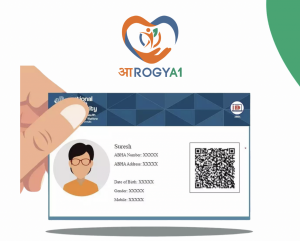
इसमें सबसे अहम् भूमिका है आभा कार्ड की | आभा कार्ड आपका अपना स्वास्थ्य पहचान कार्ड है | इस कार्ड पर 14 अंकों की संख्या लिखी होती है जो आपके स्वास्थ्य आईडी होती है | हर नागरिक के लिए यह संख्या विशेष होती है|

आभा कार्ड के माध्यम से आप अपना हर प्रकार का स्वास्थ्य संबंधी दस्तावेज़ सुरक्षित रख सकते हैं | अब आपको किसी भी स्वास्थ्य दस्तावेज के लिए लाइन में लगने की आवश्यकता नहीं है |

आभा कार्ड से आप कभी भी और कहीं भी अपना स्वास्थ्य दस्तावेज प्राप्त कर सकते हैं | साथ ही इन दस्तावेजों को इन दस्तावेजों को अपनी सहमति से किसी भी डॉक्टर या स्वास्थ्य कर्मी के साथ साझा कर सकते हैं | इसको हम एक उदाहरण के तौर पर भी समझ सकते हैं | मान लीजिए आपको कोई पेट संबंधी कोई समस्या है | आप ऑफिस में है और किसी दिन अचानक आपको दर्द होता है | ऐसी स्थिति में आप घर नहीं जा सकते हैं |

अब आपको तुरंत अस्पताल जाना पड़ेगा | ऐसी स्थिति में अगर आपके पास अपने पुराने दस्तावेज होंगे तो डॉक्टर को आपका रोग समझने में आसानी होगी और आपका इलाज सुचारु रूप से शुरू हो जाएगा अन्यथा डॉक्टर को हर एक चीज को समझने के लिए समय चाहिए होगा |

आभा कार्ड बनाएं कैसे

अब बात आती है आभा कार्ड बनाएं कैसे? यह बहुत ही आसान है | अगर आप भी अंजान हैं की आभा कार्ड कैसे बनायें, तो दिए गए स्टेप्स का पालन करें

  • आप प्ले स्टोर या एप्पल स्टोर पर जाएं |
  • आरोग्य वन ऐप डाउनलोड करें |
  • आधार कार्ड या मोबाइल नंबर के माध्यम से आप अपना आभा बनाएं |
  • बस आपका आभा कार्ड बन के तैयार हो गया |

कुछ ही क्लिक में आपका आभा कार्ड बन जाएगा | आप इस कार्ड को आप डाउनलोड कर सकते हैं.
आभा कार्ड के फायदे

  • सभी स्वास्थ्य दस्तावेज़ों को एक जगह रखा जा सकता है जिससे हम कहीं भी और कभी भी एक्सेस कर सकते हैं |
  • ओपीडी कंसल्टेशन के लिए लाइन में खड़े रहने की आवश्यकता नहीं है | आप ऑनलाइन अपना टोकन ले सकते हैं |
  • स्वास्थ्य दस्तावेज को डॉक्टर के साथ आसानी से और अपनी सहमति से साझा कर सकते हैं |
  • कई बार जल्दी-जल्दी में हमारा गलत नाम या एड्रेस रजिस्टर हो जाता है लेकिन आभा के माध्यम से सटीक डिटेल ही भरी जाएगी |

निष्कर्ष

डिजिटल युग में स्वास्थ्य सेवाओं का लाभ उठाने के लिए जागरूकता अत्यंत महत्वपूर्ण है। आयुष्मान भारत डिजिटल मिशन (ABDM) के तहत आभा कार्ड ने इस दिशा में एक अहम कदम उठाया है। आभा कार्ड के माध्यम से नागरिक अपने सभी स्वास्थ्य दस्तावेज़ों को डिजिटल रूप से सुरक्षित और सुलभ बना सकते हैं, जिससे चिकित्सा सेवाएं और भी आसान और सुचारू हो जाती हैं।

इसके साथ ही, ओपीडी कंसल्टेशन से लेकर दस्तावेज़ साझा करने तक की प्रक्रिया भी सरल हो गई है। आभा कार्ड न केवल समय बचाता है, बल्कि चिकित्सा सेवाओं को अधिक सटीक और प्रभावी बनाता है। उम्मीद करते हैं अब आप समझ पाए होंगे कि आभा स्वास्थ्य कार्ड क्या है? आप इसे प्राप्त कर सकते हैं? अगर कोई प्रश्न हो, तो बेझिझक हमे संपर्क करे।

Are you still standing in long queues for OPD registration?

Now you can skip the queues by availing of the ABHA-based Scan & Share services launched under Ayushman Bharat Digital Mission (ABDM) in October 2022. The government of India is continuously working to strengthen the digital healthcare sector. In this regard, they have taken the initiative of Scan & Share with which people can get their token digitally to avail of OPD consultation.

The outstanding paperless service has brought an exceptional transformation, especially to physically challenged patients, pregnant ladies, and elderly people. With scan & share, there is no need to stand in long queues of government hospitals and wait for your turn.

How To Get Digital OPD Registration?

The process is straightforward. In all government and ABDM-integrated facilities, you will get a QR code display at the registration counter. To scan the QR code, download the Aarogyaone app. Aarogyaone is a NHA-approved, ABDM-integrated PHR app. Once you scan the code, you can generate your token for OPD registration.

  1. Download Aarogyaone App (www.app.aarogya.one)
  2. Scan the QR code available at the registration counter
  3. Get your token towards digital OPD registration.

Moreover, to get online registration make sure to have your ABHA account created. For more details you can read our blog: What is ABHA and How to create ABHA?

Amazing Fact About Scan & Share Feature

NHA (National Health Authority) has reached an impressive milestone by creating more than 4 crores of OPD tokens for online OPD registration.

Furthermore, the Scan & Share service is available in more than 5435 hospitals and healthcare facilities. Also, on average, there are 1.3 lakh people who are using the scan &  share feature to generate their tokens for online OPD registration.

Benefits Of Scan & Share

  1. No Long Queues at Hospitals: We are very well aware of the crowd of government hospitals and standing in a long queue is really painful. Using the “Scan & Share” feature you can get your token online.
  2. Accurate Information Processing: In manual registration, it may be possible that we share some wrong information for a name or other details under stress. But thanks to Scan and Share, all accurate details will be shared with the healthcare facilities.
  3. Quick OPD Registration: With Scan & Share, users can get their OPD appointment within a few clicks.
  4. No More Questions During Registration: Unlike the manual process, with Scan & Share, you won’t be asked many questions because your health records are already linked with ABHA. Simply, you need to share your token number and current health problem.
  5. Online Booking for Lab Tests: The Government has also started the Scan & Share feature for laboratories and you can book your appointment for your tests as well.

Final Thoughts!

Scan & Share is made for our benefit and we should leverage the power of digitalization. Skip the queues and comfortably book your appointments for the next OPD consultation. And don’t forget to download the Aarogyaone app to scan the QR code.

The government of India is very focused on our well-being and in this regard, they keep initiating schemes to improve the health infrastructure of our country. ABHA (Ayushman Bharat Health Account) is one of those initiatives by ABDM (Ayushman Bharat Digital Mission) which act as a health identity number of an Indian citizen. Here we will know what an ABHA Health Card is along with its benefits & process.

What is ABHA?

As stated above ABHA acts as a health identity number using which a person can access and share their medical records seamlessly. ABHA card contains a 14-digit number which we formally call ABHA number. This ABHA number is unique for every user. Further, you can create multiple ABHA addresses for your ABHA number, but we recommend having only one ABHA address so that you can manage it efficiently.

All the health records of a person are linked under their ABHA and they can extract them the moment they want. Moreover, having an ABHA card the person is not required to carry their health records physically.  All your medical records such as prescriptions, diagnostic reports, lab reports, etc are consolidated under ABHA. Access them anytime, anywhere.

Let’s take an example: Suppose you are out of the city and your grandparent needs immediate doctor’s attention. They somehow manage to get the doctor but nobody is aware of their health history in the family except you. Now by being at a remote location, using their ABHA ID, you can share all the medical reports efficiently. This is the power of ABHA and each Indian citizen should have an ABHA card.

Benefits of ABHA Card

Many people don’t take the ABHA card seriously because they don’t find it useful. At the same time, we would say, it is a mistake. Below, we will mention the benefits of the ABHA card and why you should have it.

Scan and Share-Aarogyaone Book Appointment (Skip the Queue): One of the best benefits offered by ABHA Card is online OPD registration in any government hospital/facility. Using the app, one can generate online tokens without worrying about the long queues.

So guys, download aarogyaone app and get OPD registration within few clicks only.


Digital Health Record: With ABHA, one can have all medical records in digital format. Hence it eliminates carrying physical files all the time. Also, if you have missed or forgotten any file, no need to worry because that record is available in your ABHA.

Consent-Based Sharing: The government ensures users’ privacy on priority and hence your consent will always be asked whenever your document is requested for sharing. If you allow/permit only then the respective healthcare provider can access your record.

Inter-Communication With ABDM-Integrated Facilities: Using ABHA, you will be able to get connected with the healthcare providers or doctors of various hospitals. You can consult them and take the treatment process further.

Access Anytime Anywhere: You can access ABHA whenever you want. The only required thing is a stable internet connection. All your medical documents are just a click away with ABHA.

Highly Secured: So many users think their information will be leaked or shared but it is totally a myth. Government takes care of user’s data safety with utmost care. Your records are 100% secure and no one can access them without your permission.

How To Apply For ABHA Card Online

What is an ABHA Health CardAarogyaone is a NHA-approved & ABDM-integrated PHR app where through which the ABHA card can be generated effortlessly.

So, if you haven’t created your ABHA yet, follow the below-mentioned steps. Within a few clicks, you will get your ABHA Card.

  • Download Aarogyaone App (https://app.aarogya.one)
  • Click On Create ABHA Using Your Aadhaar Number.
  • Select Your ABHA Address
  • Your ABHA Card Will Be Displayed. Download Or Share the ABHA Card

FAQs

How much should I pay to create ABHA?

You can create ABHA for free by applying it online through https://app.aarogya.one.

If ABHA is mandatory

No, ABHA is not mandatory. But to get government health benefits you must have ABHA. Also, if you have created ABHA you can deactivate it anytime as per your wish.

If my personal information or health records will be public?

No, your health information and other details are kept secure and they will be shared only with your consent.

What are the eligibility criteria for ABHA

The only thing required for ABHA is Indian Citizenship.

What is the difference between the ABHA Card and the Ayushman Card?

If we talk about difference between the ABHA Card and the Ayushman Card, ABHA Card is a 14-digit health ID under which you can manage all your medical records whereas via the Ayushman Card users will get health insurance coverage of 5 lakhs. Ayushman Card is available for the low-income people of the society. For more information, you can check our blog.

Final Thoughts

We hope now you get the idea about the ABHA and its benefits. Also, proper steps are mentioned to create ABHA and download ABHA cards. Hence, if you don’t have ABHA, create it now.


Overview: Ayushman Bharat Card

So many people are still unaware of the process of applying Ayushman Bharat Card. As we know, our government has launched the facility to support the needy class of society. The Ayushman Card gives them health benefits of INR 5 Lakhs per year per family. But so many people still browse for “How To Apply For Ayushman Bharat Card?”

Our blog contains all the information and steps and following them one can easily apply for the Ayushman Bharat Card. Before application, you must check your eligibility for the Ayushman card because the facility is given to financially challenged families. In our previous blog, we shared information about “Eligibility for Ayushman Card”. You can refer for detailed information.

Steps to apply for Ayushman Bharat Card

Check your Eligibility for Ayushman Bharat

  1. Visit government website: https://pmjay.gov.in/
  2. Click “Am I Eligible?”
  3. Enter your Mobile Number and Click on VERIFY (Green Color)
  4. Once the system will recognize the Mobile Number, the AUTH_Mode Will Be Mobile_OTP automatically
  5. Enter the OTP you have received on the Mobile Number. If you did not receive the OTP click on “RESEND OTP”.
  6. Enter the Captcha
  7. Click on Login
  8. After successfully “Login”, you will be taken to the next page.
  9. A table format view will be shown.
  10. From the table you need to select
    1. SCHEME,
    2. STATE as per your Aadhar Card
    3. Sub Scheme
    4. District
    5. Search by (The way you want to get searched. Select any of them: Name, Aadhar Card, Family ID, Location-Rural, Location-Urban, PM-JAY ID)
  11. Once you select all the information, click on Search
  12. If you will be Eligibility, your name will be shown otherwise it will say “No Beneficiaries found in given Search Criteria

Apply for the Ayushman Card

If you are eligible for Ayushman Card, you need to offline in order to apply for your Ayushman Card. The process is very simple as mentioned below:

  1. Visit your nearest Common Service Center (CSC), Public Service Center, or UTI-ITSL
  2. Carry your family’s ID card along with one identification document (Aadhaar Card, PAN Card, Driving License, Voter ID, or Government ID).
  3. Submit the documents to the staff member available at the center.
  4. Fill out the form given by the staff member. If needed, they will guide you.
  5. Once the form is accepted, the card will be issued with all the health benefits.

How To Add Family Details to Ayushman Card

  • If you are looking to add family details, Click on Add Family Details
  • Enter the Ration Card Number, click on Check details
  • If the Ration Card is associated with the family member, details will be shown.

So, following the above-shared steps, you can apply for your Ayushman Card. In the coming section, we will mention how can you download your Ayushman Card.

How To Download Ayushman Card

  1. Visit government website: https://pmjay.gov.in/
  2. Click “Am I Eligible?”
  3. Enter your Mobile Number linked with PM-JAY (Ayushman Bharat)
  4. For authentication you will get an OTP.
  5. To confirm your identity, enter the OTP
  6. Once the OTP is verified, you will be taken to DOWNLOAD AYUSHMAN CARD
  7. Click on the DOWNLOAD Ayushman Card Button and collect your card.
  8. You will get the Ayushman Card in PDF format, so save it on your device.
  9. For the future, you can also take a print copy.

Final Thoughts

So following the above steps people can easily apply for their Ayushman card. As we have mentioned earlier Ayushman Card is given to financially challenged families as per the SECC verification. We hope, now you have a clear idea about the Ayushman Card application process.

Moreover, if any query comes up, feel free to get in touch. We will be more than happy to help! Keep browsing the page to stay updated with recent digital health initiatives. We always wish you good health!

References

https://pmjay.gov.in/#ayushman-appl

https://ayushmanbharat.mp.gov.in/index.php?/ayushman-card-process

https://www.youtube.com/watch?v=FPURyFO_Yvs

What do you think, if your health records are safe with ABHA??

We are getting digitally empowered with the Ayushman Bharat Digital Mission, but many of us are still having some misunderstandings regarding linking and managing our health records with ABHA. We have come across some cases where we have found people worrying about the privacy of their health documents.

Through the blog, we at Aarogyaone have tried to bring transparency about the security of your health records with ABHA. We have already shared information about the government’s motive behind ABHA and now we will explore the safety of your medical documents with ABHA.

Do you think everybody can access your health records?

The common misconception we have is that people think their medical documents will be accessible to everybody. This point comes to people’s minds because they think all their health-related documents are getting uploaded somewhere and can be seen by anyone.

But here we want to bring one thing to your notice. Whatever document you upload and link with ABHA, all are saved on your server. Technically it is called a “client site”. This means all your data will only be yours unless and until you allow them to be shared.

The health records will only be accessible once your consent is received. You can understand it with an example. Suppose you are going for your checkup and the doctor has asked for some old reports. Now in this case, you can share access only for the same document for a specific period after which the access will be revoked and the doctor will no longer be able to view your health record.

Health Records Are Safe with ABHA

Linking health records with ABHA is completely safe and you will only be the owner of all your medical records.

Full Control of Your Health Records

You have full control of your health records and ABHA lets you select the document that you want to share. You can even allocate the duration after which the medical record will not be accessible to the assignee. Moreover, if you are doubtful, you can revoke the access immediately.

Share What You Want To Share: With ABHA, you can health records that you want to. For example; if You are sharing ongoing treatment records with your doctor but you don’t want to share old health reports or any medical event etc; it is completely fine. You are free to select and share the medical documents of your choice.

Security is the top-most priority

ABHA takes privacy seriously. They use special technology to make sure your health information stays safe and only gets seen by the right people. It’s like having a secret code that only you and your trusted doctors know.

Final Words

The concept of ABHA is made to ease our health journey. The Government is empowering the health sector digitally with its Ayushman Bharat mission. With ABHA, your health records are secure and nobody can access them at any cost because of high-level security protocol. Also, ABHA gives you the flexibility to keep your health records private and share them with your consent only.

So guys, upload your health records at ABHA and leave all the worries. To help you, Aarogyaone is here where you can create ABHA and start managing all your health records. We have kept the registration and login process very simple and it can easily be followed. But if you have any queries, feel free to connect. We will be more than happy to help.

Do you know our Government’s Motive Behind ABHA? Or you are the one who is thinking ABHA as a smart way to track your money? Many of us are still considering ABHA as a tracker that is keeping an eye on their financial status. But the fact is, it is all wrong. ABHA is a unique health ID that has been created based on your AADHAAR. All the health records are just maintained under that ABHA ID in order to ease your accessibility for your medical records.

In order to avoid confusion and keep things transparent, the government has issued statements and presented their aim behind the concept of ABHA. As per their statement, there is no ulterior motive behind the integration/linking of health records with Ayushman Bharat Health Account (ABHA) numbers.

The Health Ministry has clearly stated their intention for ABHA and they said “ABHA isn’t some sneaky way for the government to track money. In fact, it is not linked to any monetary or fiscal scheme of the government. It is being rolled out across government health programs, such as Reproductive a and Child Health (RCH), Non- Communicable Disease (NCD), Nikshay, U-win (Universal-immunization), E-Sanjeevani (teleconsultation), PMJAY, Poshan (Anganwadi), etc,”

Do you know why there is a need for ABHA?

The Aadhaar card represents our identity and we all are assigned a unique ID. But to maintain user privacy, Aadhaar details can’t be saved on the system. Hence ABHA ID is being created under which all the medical records like lab reports, prescriptions, scans, etc will be saved. We believe each individual should have an ABHA ID in order to avail of the health facility.

ABHA is associated with your health only. It has nothing to do with financial tracking etc. We have come across so many misconceptions and of which people are getting confused. ABHA ID is your health ID that has been created based on your Aadhaar Card. Using this facility, people can access their health records anytime anywhere.

Why is there a need for linking health records with ABHA?

Many of us struggle for paper-based health records and to make things quickly accessible government is making the health sector digitally empowered. When you link your health records with ABHA, you can access it anytime anywhere.

The health ministry also said they’re making it possible for people to see their health records on their mobile phones, which will save money by not having to do tests again. They’re doing this thing called ABHA wherever health records are made. They’ll use it during events like Char Dham Yatra and Maha-Kumbh, for exams like UPSC, for driving license medical tests, and more.

How does Aarogyaone help you with ABHA?

Using our app “Aarogyaone” which is available for Android and iPhone users both, you can create your ABHA account. Furthermore, you can manage (upload, edit, & delete) all your health records here by linking them with ABHA.

We aim to smoothen your treatment journey and hence the interface is kept very simple. You can access your medical records anytime anywhere and share them with your doctor.

Final Thoughts

So, guys, no need to worry at all! Government Motive Behind ABHA is very transparent and in the favor of Indian citizens only. There is no money tracking using ABHA. Moreover, technically it is not at all possible. All these initiatives are taken just to raise the level of our healthcare infrastructure. Following the process will keep us digitally empowered because now all our health records are just a click away!

Subscribe to Aarogyaone to get such important updates! Keep checking the page.

References

What is ABHA?

Before going for How to create or link ABHA using AarogyaOne, let’s understand what ABHA is.

The ABHA (Ayushman Bharat Health Account) number is a 14-digit identifier. It distinguishes you as a participant within India’s digital healthcare network, ensuring a secure and reliable identity accepted by healthcare providers and payers nationwide.

Advantages of the ABHA Health ID card include:

  • Distinct & Credible Identification: Establish an exclusive identity across various healthcare providers within the healthcare system.
  • Consolidated Benefits: Connect all healthcare benefits, spanning public health programs to insurance schemes, to your unique ABHA number.
  • Convenient Access: Avoid lengthy registration queues at healthcare facilities throughout the nation.
  • Effortless PHR Enrollment: Seamlessly register for PHR (Personal Health Records) applications like ABDM ABHA for the sharing of health data.

AarogyaOne & ABHA

If you don’t have an ABHA profile so far, need not worry. AarogyaOne has brought a dedicated feature in its application through which you can create your ABHA Account instantly. Once the ABHA profile is ready, you can link all your health records there.

How to create or link ABHA using AarogyaOne?

Furthermore, AarogyaOne allows users to create their ABHA profile with or without registration on the application. Firstly we will discuss the steps required to follow “With Registration.”

Create ABHA With Registration @AarogyaOne

  • Create ABHA
  • Enter Your Adhaar Number
  • If the Adhaar Mobile Number and Entered Mobile Number are the same, the user will get 1 OTP. and if the mobile numbers are different, the user will get 2 OTPs.
  • The user will get 6 digit One Time Password (OTP) SMS on the Adhaar Mobile Number
  • OTP will expire in 120 Seconds.
  • On successful OTP verification
          • The user needs to create an ABHA Address (default)
          • Suggestions for ABHA Address (considering the user’s name will also be there and the user can select one of them or create their own).
          • Users can choose a Minimum of 8 and a Maximum of 18 characters.
          • Special characters 1 (.) and 1 underscore (_) are allowed but they cannot be used either in the beginning or ending
  • After that, the user will be on the dashboard by default.

Create ABHA Without Registration @AarogyaOne

  • Register at AaroogyaOne using your Mobile Number if there is no registration.
  • The user will get OTP  for verification.
  • After successful registration, log in to the application
  • Click on Create ABHA
  • Enter Adhaar Number
  • Enter Mobile Number
  • If the Adhaar Mobile Number and Entered Mobile Number are the same, the user will get 1 OTP. And if the mobile numbers are different, the user will get 2 OTPs.
  • The user will get 6 digit One Time Password (OTP) SMS on the Adhaar Mobile Number.
  • OTP will expire in 120 Seconds.
  • On successful OTP verification
            • The user needs to create an ABHA Address (default)
            • Suggestions for ABHA Address (considering the user’s name will also be there and the user can select one of them or create their own)
            • Users can choose a Minimum of 8 and a Maximum of 18 characters.
            • Special characters 1 (.) and 1 underscore (_) are allowed but they cannot be used either in the beginning or ending
  • In this way, users will be able to create their profile, and by default they will be on the dashboard.

Following these steps, users can create their ABHA profile. Further, the profile details can edited if any change is required. Also, you will be happy to know, that you can create an ABHA profile for your family members as well.

How do you add and Link Health records with ABHA?

Once you have your ABHA profile, you will see a Upload icon on the home page of the application. The process will get initiated from there. Follow the given steps in order to upload and link your health record with ABHA.

  • Click on Upload icon.
  • It allows users to upload health records in various formats
            • PDF
            • Document
            • Image
            • Camera
  • Select the format of health records
  • Choose the file from the device or click it using the camera
  • Fill in the required details
              • The user should select the type of document from the drop-down.
              • Enter the Facility name.
              • Enter the Date of the document.
              • Enter the Record’s name
              • Enter the Document’s name
  • Add Related tags
  • Link with ABHA – Toggle button for Yes/No (Default – Yes)
  • ABHA Address of selected member/profile will be statically displayed
  • After filling in the details, click on SAVE
  • The document is linked and the user will be taken to the Health Records Screen.

Once the ABHA profile is created, users can collect and manage their health records from other ABDM complaints as well. Moreover, in the future, they can share health records instantly during consultation.

Conclusion

AarogyaOne is the one-stop solution when it comes to the “best health wallet”. It offers all the features that make your health journey effortless.

We hope the above-mentioned steps have given you the exact direction to your question “How to create or link ABHA using AarogyaOne”. Also, if there is any confusion or doubt, feel free to connect. We will be happy to help.

Pin It